Getting started
Install the theme
You can install Quire from the WordPress admin in about one minute. If your host limits the upload size, use FTP instead.
Unzip the file you downloaded from ThemeForest. You need quire.zip from inside it. See What is in the download.
Upload the theme in WordPress#
- In the WordPress admin, go to Appearance > Themes and click Add Theme at the top.
- Click Upload Theme.
- Click Choose File and pick
quire.zip. - Click Install Now.
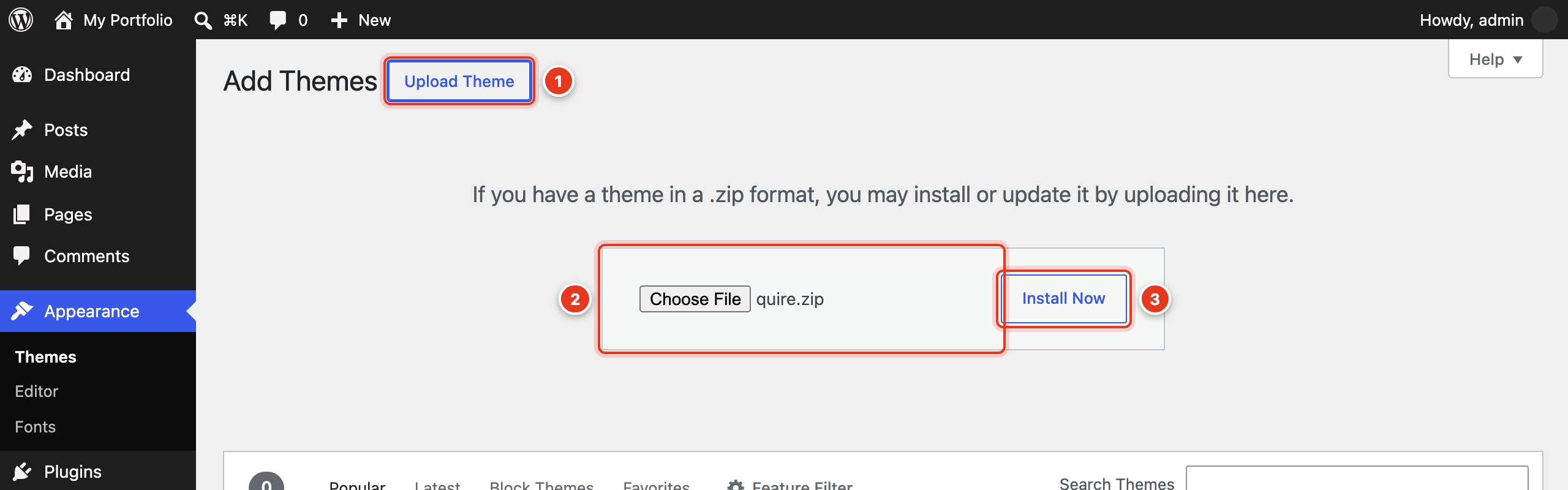
- Upload Theme opens the upload form.
- Click Choose File and choose
quire.ziphere. - Install Now uploads and unpacks the theme.
When WordPress says "Theme installed successfully.", click Activate.
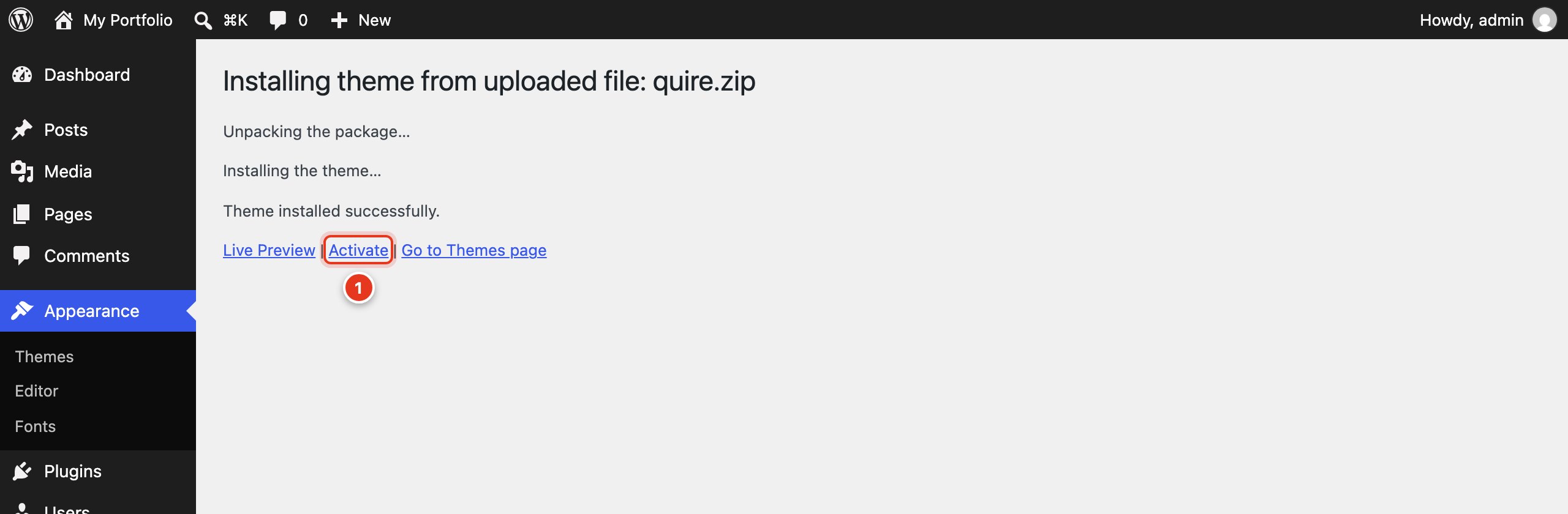
- Click Activate to make Quire the active theme.
Next, install the plugins. A notice at the top of the admin screens asks for them. See Install the plugins.
Install with FTP#
quire.zip is about 13.5 MB, because it carries the Quire Core plugin and the demo photos. Some hosts allow smaller uploads. Then the upload fails with "The uploaded file exceeds the upload_max_filesize directive in php.ini." Ask your host to raise the limit, or use FTP:
- Unzip
quire.zipon your computer. You get a folder namedquire. - Connect to your server with an FTP program, such as FileZilla.
- Upload the
quirefolder towp-content/themes/. - In the WordPress admin, go to Appearance > Themes and click Activate on Quire.
Check the folder name: the path must be wp-content/themes/quire/style.css, not wp-content/themes/quire/quire/style.css.
The child theme#
A child theme keeps your own code changes safe when you update Quire. You need it only if you will edit PHP, CSS, or template files. Customizer settings, pages, projects, and menus are safe without it.
- Install Quire first, as above. The child theme needs it.
- Upload
quire-child.zipthe same way: Appearance > Themes > Add Theme > Upload Theme. - WordPress checks that the parent theme is there and says "The parent theme, Quire 1.0.0, is currently installed."
- Click Activate to make Quire Child the active theme.
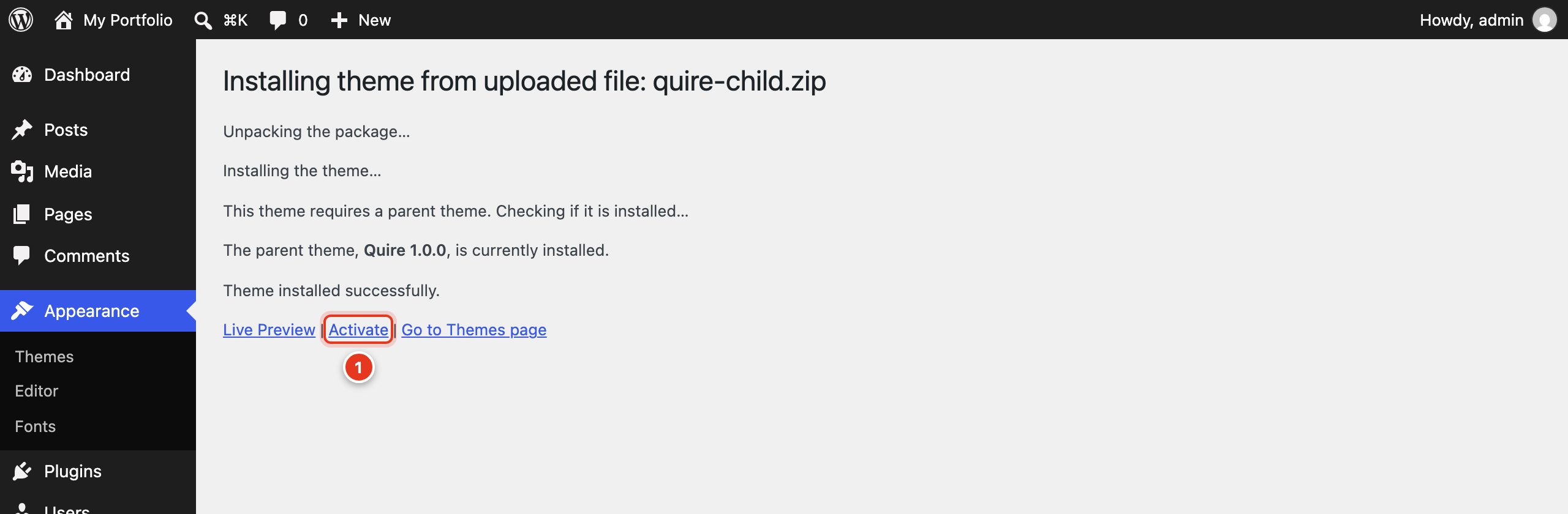
- Activate Quire Child. Quire must stay installed, but it does not need to be active.
WordPress keeps Customizer settings for each theme separately. If you switch from Quire to Quire Child after you have set things up, the child theme starts with the default settings. To avoid this, activate the child theme before you import the demo or change the Customizer.
To learn what you can do in the child theme, see Child theme.
Quire 1.0.0 documentation, updated 2026-11-07. Online at quire.jawad.work/docs/.